


Have you ever dreamed of walking into a home that “knows” what you need? Maybe the lights turn on automatically when you enter, the thermostat adjusts to your favorite temperature, or the coffee is already brewing when you wake up. Thanks to modern technology, this is no longer just a dream—it’s reality!
Automation tools for smart homes are designed to make your living space more comfortable, secure, and energy-efficient. But with so many options available, it can feel overwhelming. Don’t worry—let’s go through the different types of automation tools for smart homes, along with their benefits and drawbacks, so you can choose the ones that suit your lifestyle best.
1. Lighting Automation Tools

Lighting is one of the most popular and beginner-friendly areas of smart home automation.
Examples:
- Smart bulbs (Philips Hue, LIFX)
- Smart switches and dimmers
- Motion-activated lights
Benefits:
- Energy efficiency by scheduling lights or using motion sensors.
- Mood setting with customizable brightness and colors.
- Remote control via apps or voice assistants.
Drawbacks:
- Smart bulbs can be expensive compared to regular ones.
- Requires stable Wi-Fi or a hub for smooth operation.
- May not always integrate well with older electrical wiring.
2. Climate Control & Energy Management Tools
Keeping your home comfortable while saving on utility bills is where these tools shine.
Examples:
- Smart thermostats (Nest, Ecobee)
- Smart fans and heaters
- Energy-monitoring smart plugs
Benefits:
- Reduced energy bills through optimized heating/cooling schedules.
- Personalized comfort (learns your preferences).
- Remote control while traveling.
Drawbacks:
- High upfront costs for smart thermostats.
- Installation may require professional help.
- Some tools only work with certain HVAC systems.
3. Security & Safety Automation Tools
Smart security tools help protect your home 24/7, whether you’re inside or away.
Examples:
- Smart locks (August, Yale)
- Smart cameras and video doorbells (Ring, Arlo)
- Smoke, CO2, and leak detectors
Benefits:
- Enhanced safety and peace of mind.
- Real-time alerts sent to your phone.
- Remote monitoring from anywhere.
Drawbacks:
- Privacy concerns with always-on cameras.
- Subscription fees for cloud video storage.
- May depend heavily on Wi-Fi—if the internet goes down, features may be limited.
4. Entertainment & Lifestyle Automation Tools
Turn your downtime into a smart, hands-free experience.
Examples:
- Smart speakers (Amazon Echo, Google Nest, Apple HomePod)
- Smart TVs and streaming devices
- Whole-home audio systems
Benefits:
- Easy voice control for music, movies, and smart devices.
- Hands-free convenience (playlists, reminders, routines).
- Sync across multiple devices for an immersive experience.
Drawbacks:
- Can be addictive—too much reliance on “always-on” assistants.
- Voice assistants sometimes misinterpret commands.
- Privacy concerns with devices constantly listening.
You may also like to read these posts:
What Defines a Consumer Trend?
Types of Emerging Fashion Trends (Categorization): A Deep Dive
How to Spot New Lifestyle Trends Early (How-To) – A Complete Guide
Why Cultural Shifts Influence Trends (In-Depth Guide)
5. Kitchen & Appliance Automation Tools
The kitchen is becoming smarter too, making cooking and cleaning a breeze.
Examples:
- Smart refrigerators (with grocery tracking & recipe suggestions)
- Smart coffee makers
- Smart ovens, dishwashers, and microwaves
Benefits:
- Convenience—imagine coffee ready as soon as you wake up.
- Energy efficiency with optimized usage cycles.
- Some appliances reduce food waste (fridges track expiration dates).
Drawbacks:
- Expensive compared to traditional appliances.
- Repairs and replacements can be costly.
- Many features are “nice-to-have” rather than essential.
6. Garden & Outdoor Automation Tools
Smart tech isn’t just for indoors—your yard can benefit too.
Examples:
- Smart sprinklers (Rachio, Orbit)
- Outdoor smart lights
- Robotic lawn mowers
Benefits:
- Saves water by adjusting sprinklers based on weather.
- Increases outdoor safety with automated lighting.
- Saves time and effort with robotic mowers.
Drawbacks:
- Smart garden devices can be pricey.
- Outdoor tech needs weatherproofing and regular maintenance.
- Robot mowers may not handle uneven lawns well.
7. Central Control Systems (The Brain of It All)
Think of this as the “command center” that ties all your devices together.
Examples:
- Smart hubs (Samsung SmartThings, Hubitat)
- Voice assistants (Alexa, Google Home, Siri)
- Unified mobile apps
Benefits:
- Control all devices from one place.
- Create “routines” (e.g., lock doors, dim lights, and lower thermostat with one command).
- More seamless integration between different brands.
Drawbacks:
- Some hubs are brand-specific and limit compatibility.
- Requires setup and a learning curve for new users.
- If the hub malfunctions, multiple devices may stop working.
Overall Benefits of Smart Home Automation
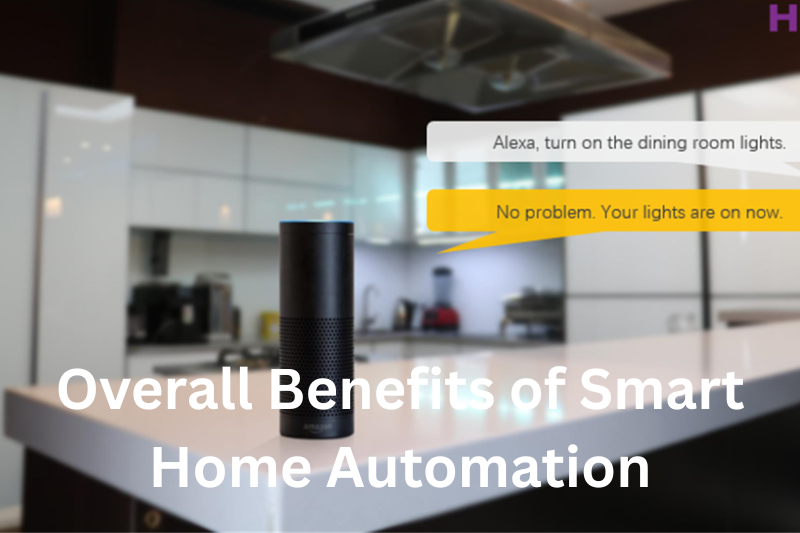
- Convenience: Everything from lights to locks is at your fingertips (or voice command).
- Energy Savings: Optimized usage reduces electricity and heating/cooling costs.
- Safety & Security: Round-the-clock monitoring and instant alerts.
- Customization: Create routines that fit your lifestyle.
Overall Drawbacks of Smart Home Automation
- High Initial Costs: Smart devices are pricier than traditional ones.
- Dependence on Internet: Many tools stop working (or lose functionality) if Wi-Fi goes down.
- Privacy Concerns: Some devices collect and store data, raising security questions.
- Compatibility Issues: Not all devices work smoothly together, depending on the brand or hub.
Wrapping It Up
Choosing the right types of automation tools for smart homes depends on your needs, budget, and comfort with technology. If you’re just starting out, try simple tools like smart bulbs or plugs. As you get comfortable, you can expand to security, climate control, and even kitchen appliances.
The best part? You don’t have to do everything at once. Start small, build gradually, and before you know it, your home will feel smarter, safer, and more energy-efficient—all while making your life easier.
FAQs
1. What are automation tools for smart homes?
Automation tools for smart homes are devices and systems that allow you to control or schedule household functions—like lighting, temperature, security, and appliances—automatically or remotely using smartphones, voice assistants, or hubs.
2. Do I need a hub for smart home automation?
Not always. Some devices (like smart bulbs or plugs) connect directly to Wi-Fi and don’t need a hub. However, if you plan to use multiple devices from different brands, a hub (such as Samsung SmartThings or Hubitat) can make managing everything much easier.
3. Are smart home automation tools expensive?
The cost depends on what you choose. Simple tools like smart bulbs or plugs can cost under $20 each, while advanced systems (like smart thermostats, refrigerators, or full security setups) can run into hundreds or even thousands of dollars.
4. Can smart home devices save money?
Yes! Smart thermostats, lights, and energy-monitoring plugs can help reduce electricity and heating/cooling bills by optimizing usage. Over time, these savings can offset the initial investment.
5. Are smart home devices safe from hackers?
Most devices are secure if you buy from reputable brands, keep firmware updated, and use strong Wi-Fi passwords. However, like any connected device, there’s always a small risk. That’s why it’s important to follow best practices for digital security.


